Showing posts with label apple music. Show all posts

Dec 26, 2019

All I want for Xmas: A macOS Catalina Music app that doesn't suck


Is it childish to wish upon a star? To creep downstairs in the dead of night and shout your deepest desires up the chimney in the hope that Santa is out there, watching, waiting… anticipating? To write an article basically begging one of the world’s biggest companies to do something because you’d really like it to happen?
No. No it’s not. In fact, it’s actually a really mature, cool thing to do. Shut up.
So, here I go. All I want for Christmas is for Apple‘s software division to pull its fist out of its own anus and actually give us a macOS Catalina Music app that’s genuinely good.
Is that so hard, Apple? Is it? Is it?

First, some context

I’m not talking about the Apple Music streaming service, but the digital file library. Although you don’t hear about this from Apple very often, there must be millions and millions of people who still buy MP3s and have active digital music libraries.
Now, earlier this year, Apple took iTunes out to look at some rabbits, and then blew its brains out all over the grassy knoll.
I think I was one of the few people to really love and enjoy iTunes, so I found this news quite upsetting. Aside from the predictable nostalgic element of the death of iTunes, I was especially concerned that Apple would turn the macOS Catalina Music app into one long advert for the Apple Music streaming service.
Thankfully, this didn’t pan out as I feared.
But.. not everything was rosy. Why? Because the macOS ‘Music’ app is still basically iTunes, just with less stuff in it.
Now, I know what you’re thinking: “but Callum, you said you loved iTunes, why would you be unhappy that the new macOS ‘Music’ app is basically the same thing?”
Look at you smarty-pants, coming in here and pointing out the inconsistencies in my own article. Aren’t you special? Basically, I liked iTunes a lot, but that doesn’t mean I didn’t think it could be better. And once I’d seen that Apple hadn’t made the macOS ‘Music’ app worse, it seemed pretty ridiculous that it didn’t put ANY effort into making the software a superior music library.
Don’t worry though, Apple. Stop weeping. There there, it’s okay — because I have some ideas that’ll make the macOS Catalina Music app as good as it should be.

FLAC (and other format) support

Currently (and to my understanding), the macOS ‘Music‘ app only supports MP3, AAC, WAV, AIFF, and Apple Lossless files. This is… okay, but there are a raft of other audio formats out there that people prefer listening to. I’m not going to get into all that now, but at the very least there should be FLAC support.
This is the most common lossless (i.e. high quality) format and the fact that the Music app doesn’t support this is… ridiculous. This should be a fundamental characteristic of any music library.

Actually make the macOS Catalina Music app fast
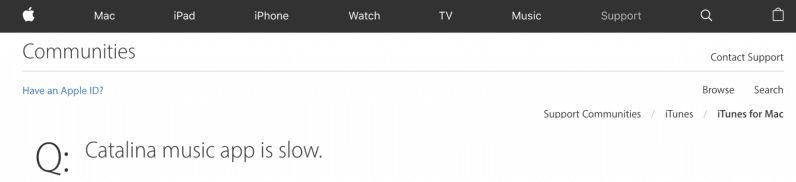

There have been multiple reports of the macOS Catalina Music app being slow as a tar-covered turtle. Whether it’s the search, song selection, or a myriad of other things, the software is as far away from a slick experience as possible.
Honestly, a streaming service like Spotify seems faster than the macOS Catalina Music app. Apple, you need to strip this thing to the bare bones and make it lightning quick.

And sort out all the fucking bugs while you’re at it

Literally, no one wants music software that just randomly pauses. Or doubles tracks up in the library. All of which has happened to me.

Incorporate more flexibility into the software

This might go against the desire for less bugs, but it’d be great to have more flexibility with the macOS Catalina Music app. I know Apple‘s famous for making bits of software and hardware you can’t really tinker with, but it’d be amazing if it bucked the trend with this app.
What I’d really like to see would be a way you can drag-and-drop different elements onto the screen and make a truly customizable view. For example, having a little window that displays lyrics while a song is playing. Or two artist lists, so you can remain on one and still browse your library. Or an always-there equalizer with customizable settings.
There’s so much potential there, so many ways you could make something incredible that still has the feel of an Apple piece of software. Oh, any maybe we could introduce crazy, Winamp-style skins too?

winamp skin
An example from the brilliant Winamp Skins twitter account.
Actually, let’s not.

A smarter way of retrieving metadata

I know you can ask the macOS Catalina Music app to retrieve album artwork, but not only is it pretty poor at this, it should have the ability to pull a lot more metadata. In this day and age, how hard would it be to add lyrics to the track? BPM? The key?
The main desktop music app on Apple machines should be able to find accurate information for every track you drop it in. That shouldn’t be so hard.

Apple actually doing any of the above

It’s never gonna happen. Not even a bit of it. Unfortunately, Apple has completely abandoned the management of digital music as a priority. On one hand, this makes sense because it views the Apple Music streaming service as its main money maker in this space. But on the other, it fucking sucks.
I mean, how much is Apple making from people using its software to manage their own libraries of music? Apart from sales of devices, nothing. I’m glad that Apple hasn’t removed this functionality entirely from the macOS Catalina Music app, but it has been ignored for so long that even a few months of focus from a dev team could make the software thousands of times better than it currently is.

I’m not gonna hold my breath though.

This article is written by Callum Booth on TheNextWeb.
Source: https://thenextweb.com/plugged/2019/12/19/all-i-want-for-xmas-a-macos-catalina-music-app-that-doesnt-suck/

You may also like:
How to Get Free Apple Music Forever

Dec 5, 2019

American Music Awards 2019 Winners - Full List

American Music Awards 2019, the first ever Apple Music Awards announced by Apple, has been unveiled recently. It was Taylor Swift for the win, who scored six wins during that night, including artist of the year. BTS and Khalid tied for second with three wins each.
Who else won during the night? See the complete list below.

#1 Artist of the Year

Drake
Ariana Grande
Halsey
Post Malone
Taylor Swift - WINNER

#2 New Artist of the Year
Luke Combs
Billie Eilish - WINNER
Lil Nas X
Lizzo
Ella Mai

#3 Collaboration of the Year
Lady Gaga and Bradley Cooper, "Shallow"
Lil Nas X ft. Billy Ray Cyrus, "Old Town Road"
Marshmello and Bastille, "Happier"
Shawn Mendes and Camila Cabello, "Señorita" - WINNER
Post Malone and Swae Lee, "Sunflower (Spider-Man: Into the Spider-Verse)"

#4 Tour of the Year
BTS - WINNER
Ariana Grande
Elton John
P!nk
Ed Sheeran

#5 Favorite Music Video
Billie Eilish, "Bad Guy"
Ariana Grande, "7 Rings"
Halsey, "Without Me"
Lil Nas X ft. Billy Ray Cyrus, "Old Town Road"
Taylor Swift, "You Need to Calm Down" - WINNER

#5 Favorite Social Artist
BTS - WINNER
Billie Eilish
EXO
Ariana Grande
Shawn Mendes

#7 Favorite Male Artist -- Pop/Rock
Drake
Khalid - WINNER
Post Malone

#8 Favorite Female Artist -- Pop/Rock
Billie Eilish
Ariana Grande
Taylor Swift - WINNER

#9 Favorite Duo or Group -- Pop/Rock
BTS - WINNER
Jonas Brothers
Panic! At The Disco

#10 Favorite Album -- Pop/Rock
Billie Eilish, "When We All Fall Asleep, Where Do We Go?"
Ariana Grande, "Thank U, Next"
Taylor Swift, "Lover" - WINNER

#11 Favorite Song -- Pop/Rock
Halsey, "Without Me" - WINNER
Jonas Brothers, "Sucker"
Lil Nas X ft. Billy Ray Cyrus, "Old Town Road"
Panic! At The Disco, "High Hopes"
Post Malone & Swae Lee, "Sunflower (Spider-Man: Into the Spider-Verse)"

#12 Favorite Male Artist -- Country
Kane Brown - WINNER
Luke Combs
Thomas Rhett

#13 Favorite Female Artist -- Country
Kelsea Ballerini
Maren Morris
Carrie Underwood - WINNER

#14 Favorite Duo or Group -- Country
Dan + Shay - WINNER
Florida Georgia Line
Old Dominion

#15 Favorite Album -- Country
Kane Brown, "Experiment"
Dan + Shay, "Dan + Shay"
Carrie Underwood, "Cry Pretty" - WINNER

#16 Favorite Song - Country
Luke Combs, "Beautiful Crazy"
Dan + Shay, "Speechless" - WINNER
Blake Shelton, "God's Country"

#17 Favorite Artist -- Rap/Hip-Hop
Cardi B - WINNER
Drake
Post Malone

#18 Favorite Album -- Rap/Hip-Hop
Meek Mill, "Championships"
Post Malone, "Hollywood's Bleeding" - WINNER
Travis Scott, "Astroworld"

#19 Favorite Song -- Rap/Hip-Hop
Lil Nas X ft. Billy Ray Cyrus, "Old Town Road" - WINNER
Post Malone, "Wow."
Travis Scott, "Sicko Mode"

#20 Favorite Male Artist -- Soul/R&B
Chris Brown
Khalid
Bruno Mars - WINNER

#21 Favorite Female Artist -- Soul/R&B
Beyoncé - WINNER
Lizzo
Ella Mai

#22 Favorite Album -- Soul/R&B
Chris Brown, "Indigo"
Khalid, Free "Spirit" - WINNER
Ella Mai, "Ella Mai"

#23 Favorite Song -- Soul/R&B
Khalid, "Talk" - WINNER
Lizzo, "Juice"
Ella Mai, "Trip"

#24 Favorite Artist - Alternative Rock
Billie Eilish - WINNER
Imagine Dragons
Panic! at the Disco

#25 Favorite Artist - Adult Contemporary
Maroon 5
P!nk
Taylor Swift - WINNER

#26 Favorite Artist -- Latin
Bad Bunny
J Balvin - WINNER
Ozuna

#27 Favorite Artist - Contemporary Inspirational
Lauren Daigle - WINNER
For King & Country
MercyMe

#28 Favorite Artist - Electronic Dance Music (EDM)
Avicii
Marshmello - WINNER
The Chainsmokers

#29 Favorite Soundtrack
"A Star Is Born" by Lady Gaga & Bradley Cooper
"Bohemian Rhapsody" by Queen - WINNER
"Spider-Man: Into the Spider-Verse"

You may also like: 

Nov 15, 2017

How to Easily Get Apple Music Play on Apple TV


It’s common if you have the request to play Apple Music on your Apple TV model as an Apple addict. But it’s no easy job if your are not using the latest Apple TV 4th that supports built-in Music app. For other older Apple TV models, you may need to use some third-party apps to help you get Apple Music on Apple TV. No matter what Apple TV model you are using now, here in this post, we’ll show you the popular and quick solutions to play Apple Music on any Apple TV with ease.

Method 1. How to Play Apple Music on Apple TV 4


This method is exclusive to Apple TV 4 users. The Music app here on Apple TV will not only let you listen to all your own music through iCloud Music Library in the My Music section, but also enable you access all the tracks made available through Apple Music service, including radio stations. To access all your own music on the system and play Apple Music on Apple TV 4, you need to enable iCloud Music Library with the following steps.

Step 1. Open your Apple TV 4 and go to Settings > Accounts. Then log into the account with the same Apple ID you used for subscribing Apple Music.

Step 2. Go to Settings > Apps > Music and turn on iCloud Music Library.

Step 3. Since you have enabled access to all your Apple Music catalog through Apple TV 4, you can now start playing them directly on your TV.

Method 2. How to Get Apple Music on Apple TV 1/2/3


If you are using older Apple TV models like the 1-3 generations, then you won’t find any app available on Apple TV to access the Apple Music. But this doesn’t mean it’s impossible to play Apple Music on your Apple TV at all. In contrary, there’s still a way out to easily stream Apple Music to Apple TV. All you’ll need is a third-party Apple Music tool like TunesKit Audio Converter. As a smart audio solution, it’s able to completely remove DRM lock from all Apple Music songs and convert them to common MP3 and other formats that can be easily synced to Apple TV with Home Sharing. In addition to an Apple Music converter, it’s also capable of converting iTunes, Audible audiobooks and other popular audio formats.


Now the following instruction will show you the complete tutorial to play Apple Music songs on Apple TV 1/2/3, including removing DRM from Apple Music and the steps to sync DRM-free Apple Music to Apple TV with Home Sharing.

Step 1. Install and launch TunesKit DRM Audio Converter on your Mac or PC. Click the second “+” button to import the downloaded Apple Music from your iTunes library to the conversion interface. Then click “Format” panel to choose the output audio format as well as set other preferences, like codec, audio channel, bit rate, sample rate, etc. After that, simply start removing DRM and converting the Apple Music M4P tracks to non-DRM common formats by pressing “Convert” button at the bottom right.

Step 2. Now, you can click the “history” icon next to the “add” button to locate those DRM-free Apple Music songs on your local computer. Then you can directly enable Home Sharing on your computer and begin to play all the music on your Apple TV.

To set up Home Sharing on your Mac or PC, simply open iTunes and sign in with your Apple ID. Next, go to File > Home Sharing and click Turn on Home Sharing. Once enabled, you can freely stream your Apple Music to any Apple TV model without any limit.

Apr 26, 2017

How to Convert Apple Music from M4P to MP3?


Why We Need to Convert Apple Music to MP3?


I have been a Apple Music subscriber over one year and always enjoy paid Apple Music tracks on my iPhone and iPad. Recently, I new purchased a Galaxy S8 and I want to input all these paid Apple Music files to it. However, I failed to play Apple Music songs on my Galaxy S8 because of the DRM protection. Someone advises me to install Apple Music app on my Galaxy S8, but I don't think that is a permanent solution and I don't want to live with such DRM limitation anymore. I am searching for a professional Apple Music Converter to help me convert DRM-locked music files from M4P to MP3 which can be accepted by almost all devices. Anyone can recommend such a tool to me?

Since Apple Music came out, it rapidly became one of the most popular streaming music service. Up to now, Apple Music has over 20 million paid subscribers. It is hardly surprising Apple Music is so successful. Not only it is backed up of one of the biggest brands in the world, it also provides users with access to the entire iTunes library, a swath of curated playlists, recommendation of songs based on your taste.

However, as an Apple Music subscriber, you can't really own single songs from the music catalog even you have paid for it. Because music tracks from Apple Music are all in 256k AAC(M4P) format and encrypted by FairPlay DRM protection. Due to this DRM limitation, you can't get access to these Apple Music files if your iOS device version is older than V.8.4, your non-apple devices don't have Apple Music app installed, you decide to unsubscribe the Apple Music. To solve this limitation problem, you need to crack DRM protection from Apple Music files firstly, then convert these M4P Apple Music files to plain MP3 music files that can be supported by all most mainstream devices.

Best Solution to Convert Apple Music from M4P to MP3 on Mac/Windows

TuesKit Apple Music Converter is specially developed as an professional DRM removal tool for Apple Music subscribers.It allows users easily to strip DRM protection from Apple Music audio files and accomplish the conversion from M4P to MP3 with a couple of clicks. Unlike traditional recording technology, TunesKit applied innovative encoding technology to its Apple Music Converter, that means Tuneskit can complete the conversion at 30X speed.With TunesKit Apple Music, you can freely converted these paid Apple Music tracks to MP3,AAC, WAV, M4A, M4B,and FLAC with the ID tags and other information including artwork,artist,disc number,composer,album,year,track number, genre,etc.can be preserved.

TuesKit Apple Music Converter offers Mac version and Windows to its users. Both of these two versions are high-efficient and easy-to-use.You can download TuesKit Apple Music Converter free trail version to experience its excellent features in converting M4P Apple Music files to MP3 music files.


Steps: Remove DRM Protection from Apple Music and Convert DRM-ed Apple Music Files to MP3 Files on Mac

Step 1: Install and Open Apple Music Converter on Mac

You can download the correct version of Apple Music Converter depending on your operation system. After installing and launching the program, this main interface will come out.


Step 2: Input Apple Music Files to TunesKit Apple Music Converter

After running TunesKit, iTunes will re-launch automatically and the DRM-locked music files will appear in the drop-down list when you click the“Add Files”icon. You can also input the M4P music files by dragging-dropping them to the blank conversion area.


Step 3: Customize MP3 as Output Format

In this step, users have access to adjust the output formats ,out put folder ,etc.at their will. In this guide, you can select MP3 as the output format by clicking the gear icon and Output drop-down list of the program:


Step 4: Convert M4P Apple Music Songs to MP3 Files

If you have finished above steps, you can simply click the “Convert”button to start to convert Apple Music songs from M4P for MP3. TunesKit takes you only a few seconds to complete the conversion. P.S TunesKit also support batch music conversion with it outstanding performance.


After the conversion, these M4P DRM-ed Apple Music songs are all converted to MP3 music files. Then you can enjoy these DRM-free MP3 music files on any devices as you wish without any limitation.

Also Read: How to Stream Apple Music to Google Chromecast Audio
                  Something You Want to Know About Apple Music
             

Mar 7, 2017

Everything You Want to Know About Apple Music


During the rise of digital music, Apple also introduced its first own streaming music service Apple Music in 2015. As one of the largest streaming music services around the world, Apple Music is regarded as the biggest competitor for Spotify since Apple Music is equipped with many great features and outstanding integration: users don’t need to install extra applications to sync the music tracks on different devices, and if you have a Mac, iPhone, or Apple TV, you can use Siri to control it. By far, Apple Music supports over 110 countries, provides about 40 million songs to its users, has more than 20 million paid subscribers from all over the world.

Perhaps you are considering whether to subscribe Apple Music to keep up with the digital music times, or you are planning to switch from other streaming music platform to Apple Music, you may need to know more information about Apple Music to help you make the decision.

Major Features of Apple Music

There are three major features of Apple music: Apple Music, which lets users to select music to stream to their device on-demand or use an already-existing playlist curated by "music experts"; Beats 1, the service's 24-hour radio station led by DJ Zane Lowe that broadcasts in over 100 countries; and Connect, which allows artists to share "lyrics, backstage photos, videos or even release their latest song directly to fans directly from their iPhone".

How to Become a Subscriber for Apple Music?


If you are first time subscribing Apple Music, you can get access to three month free-trail, and you can sign up your Apple Music account on you iPhone, iPad, iPod, Mac, Android, or PC to enjoy the streaming tracks from the catalog. Once those three months are up, you need to pay $9.99/mo to maintain the streaming music service.

The company also offers family plan to its users to meet multiple requirements, if your family members also like streaming music, you can simply sign up for $14.99/mo family plan and up to six people in your family can use Apple Music. Aside from that, family members also can built their own separate music libraries and playlists.

Does My Device Support Apple Music?

What devices can support Apple music songs?


• iOS devices (running iOS 8.4 or later): iPhone, iPad, and iPod touch.
• Apple Watch 1.0.1 or later.
• Macs and PCs running iTunes.
• Android devices with Apple Music App installed.
• Apple TV.
• Aging iPod touch, the new iPod nano and iPod shuffle are limited to Apple music tracks.
• Sonos system: Sonos app is installed on your iPhone, iPad, or Mac.

In which case you can't enjoy your Apple Music songs?

• You are limited to listen to the Apple Music on up to 10 devices with authorization.
• The iOS devices which run the version lower than V.8.4 also can't get access to Apple Music.
• You won't be able to stream your previously purchased and ripped music to your other devices once you unsubscribe the Apple Music.
• Android devices don't have Apple Music app installed.

Apple's FairPlay DRM on Apple Music Audio Files

Unlike those songs from iTunes, steaming tracks from Apple Music don't really belong to you. It is because songs you purchased from iTunes are all in DRM-free AAC format while your paid Apple Music tracks are all in DRM-loaded M4P format. You can go to your iCloud Music Library to check the status of music tracks that downloaded from Apple Music streaming catalog. Then you will find all your purchased songs from Apple Music are all in this status:


It shows you that all these Apple Music files are stored as 256k AAC (M4P) format files and have FairPlay DRM applied to them. Music files with M4P format are locked by DRM protection which means even you have paid for Apple Music Subscription, you can only have access to limited devices and you are not to own any single songs. What's worse, once you decide to unsubscribe Apple Music, you will loss the access to them forever.

Break The Restriction: Convert Apple Music from M4P to MP3

If you don't want to stand the DRM protection anymore and you want to save these paid Apple Music songs forever without any limitation, you can simply convert Apple Music songs from M4P to MP3 which can be compatible with almost popular media players.

Tuneskit Apple Music Converter is a specific music converter for Apple Music users, it help Apple Music files get rid from DRM protection while converting them into high-quality MP3 files at a very fast speed. TunesKit also meets the requirement of maintaining ID tags in converted music files and is totally clean and easy to use, especially suitable for beginners.

Tips: How to Set Free Apple Music Files to MP3 files?


>> Download TunesKit Apple Music Converter for Mac or for Windows;
>> Add Apple Music files by clicking "Add Files" button or directly dragging-dropping the files to middle area;
>> Customize the output format as "MP3" by selecting the output format;
>> Click "Convert" icon to start the conversion, batch conversion also is available.

Only need easy 4 steps, the Apple Music songs conversion to MP3 files will complete in a few seconds. Converted Apple Music are all in DRM-free MP3 format, hence, you have the ability to play the music track on any devices as you like since they actually belong to you.

Also want to learn: How to Convert Apple Music from M4P to MP3?
                                

Sep 26, 2016

How to Stream Apple Music to Google Chromecast Audio


Do you like to use Chomecast Audio to stream your music to your home speakers? If so, you may know that Chromecast Audio doesn’t support Apple Music channel yet. That’s to say, if you registered Apple Music service, you are not able to cast the Apple Music songs to other media devices via Chromecast Audio. That’s really annoying. But here in this article, we are going to show you a simple way to play your Apple Music on Google Chromecast in a few clicks only.

What You Need to Know about Apple Music & DRM


Apple Music, like other online streaming music services, is protected by DRM. Due to that limit, users who subscribed Apple Music service can only listen to the music songs on devices with related Apple ID. You are not allowed to copy and transfer the downloaded Apple Music tracks to other platforms or devices. And if you unsubscribe Apple Music, the offline music streams you saved on the devices will become inoperable automatically.

So if you want to listen to the Apple Music files on Chromecast or other devices, the first thing is to find a way to kill DRM from the Apple Music files and make the protected M4P music files recognizable by other devices.
Steps to Stream Apple Music to Chromecast Audio

Now let’s go ahead to see what we should do in order to cast Apple Music to speakers via Chromecast.


Part 1. Best Tool to Remove DRM from Apple Music M4P


The efficient DRM removal solution for Apple Music we are talking about here is TunesKit Apple Music Converter ( or Mac). It’s specially designed to bypass DRM lock from Apple Music offline M4P files and convert the M4P to MP3, AAC, WAV, M4A, and other common audio formats. It works at 30X faster speed and could keep all the ID tags after conversion, including the cover, date, author, genre, etc.

Part 2. How to Convert Apple Music M4P to MP3, AAC, WAV, FLAC…


Firstly, download and install the free version of TunesKit Apple Music Converter on your Mac or PC. It’s fully compatible with the latest macOS 10.12 as well as Windows 10.

Launch TunesKit Apple Music Converter. Click Add Files button to import the offline M4P music from Apple Music library to the converter. You can also drag the music files to the program.

Once the M4P songs are loaded successfully, you should click the “gear” icon to select output audio formats as you like. Currently it supports MP3, AAC, M4A, M4B, WAV, FLAC.

Then you can start to convert the DRM M4P songs to MP3 or other formats by clicking “Convert” button.

Part 3. Play Apple Music on Google Chromecast


When the conversion finishes, you’ll get the DRM-free Apple Music songs. Then you can cast the music tracks from your PC or Mac to Chromecast Audio as desire.
For the original resource, please visit this page: http://www.tuneskit.com/apple-music-tips/stream-apple-music-to-chromecast.html

Aug 30, 2016

How to Burn iTunes Apple Music onto CD


In this article, we’ll show you an easy way to burn DRM-protected Apple Music tracks to CD in a few steps only.

Apple Music & DRM: What You Should Know


Apple Music, like Apple’s another online digital store, iTunes, also applies DRM technology to protect the use of the music tracks there. When people subscribe Apple Music streaming service, they pay $9.99 or $14.99 per month to listen to the songs they love from a wide range of music resources. However, due to the DRM protection, Apple Music subscribers are only allowed to listen to the music tracks online or save the songs offline in the device linked to their Apple Music account. That’s to say, Apple Music subscribers don’t have the authority and freedom to share their downloaded Apple Music songs or tracks to other devices, or burn the music to CD, etc. And once the subscription ends or one cancels the subscription, the songs you downloaded from Apple Music on your device will become unplayable immediately. That’s really annoying.

Tools You’ll Need to Burn Apple Music Songs to CD


In order to burn Apple Music songs to CD, the most important thing is to find out a solution to get rid of the DRM layer from the Apple Music completely. Here what we are talking about is TunesKit Apple Music Converter. It’s also available in Mac version. This tool will help you easily crack the DRM from Apple Music and convert the Apple Music songs to common audio formats supported by any CD burner.


How to Burn Apple Music Offline Audio Tracks to Disk


Part 1. Convert DRM-ed Apple Music Songs to MP3

First of all, let’s use TunesKit Apple Music Converter to crack the DRM from Apple Music songs.

Make sure you already download the songs you want to burn to disc from Apple Music and save them offline on your computer.

Launch TunesKit Apple Music Converter and add the DRM-locked songs from Apple Music to the software.

Select the output format as MP3 or others, including M4A, AAC, WAV, FLAC, M4B.
Start to convert the DRM Apple Music offline streams to MP3 by clicking “Convert” button in TunesKit.

Part 2. Burn Converted Apple Music Tracks to Disc


Once the Apple Music files are converted successfully in TunesKit, you can follow the instructions here to burn the well-converted Apple Music songs to CD for free.

Launch iTunes, click File > New > Playlist to create a new playlist containing the Apple Music songs converted by TunesKit that you want to burn to CD.

Right click the newly created playlist and choose Burn Playlist to Disc. Adjust the burning settings as it requires and then click OK to let it burn the Apple Music songs to CD.

For more details on how to burn Apple Music to CD, you can refer to this original source: http://www.tuneskit.com/apple-music-tips/burn-apple-music-songs-to-cd.html

Aug 24, 2016

How to crack DRM lock from Apple Music M4P

Like the movies, audiobooks and other content sold from iTunes Store, the music tracks you subscribed and downloaded from Apple Music are protected by FairPlay DRM. Because of which, users can't take the full control of the Apple Music songs at all but are only restricted to play the music streams on devices with Apple Music account authorization.

Many Apple Music subscribers may wonder whether there's any possibility to break the DRM lock from the streaming music tracks so that they can freely transfer the offline Apple Music songs to any media player as they like. Fortunately, the answer is yes.

To help Apple Music users fully get the ownership of the M4P songs, TunesKit Apple Music Converter comes. It's a simple solution developed to easily remove DRM protection from downloaded Apple Music songs and playlists by converting the M4P files to common MP3, AAC, WAV, M4A, M4B, etc. You can have a look at the following guide to see how it works to kill DRM from Apple Music with ease.

Firstly, you should download and install the free version of TunesKit Apple Music DRM Remover for Mac.(TunesKit Apple Music Converter for Windows)


Second, add the Apple Music M4P files to the converter by either clicking the "Add Files" button or drag-and-drop.

Then when the M4P songs are added to TunesKit successfully, you should choose the output format as you want.
Now you can begin to strip DRM encryption from Apple Music and convert the DRM-ed M4P songs to MP3 or other by clicking "Convert" button.
What you should do is to wait for the conversion finishes. Once it's done, you can get the DRM-free Apple Music songs and enjoy them anywhere at anytime. You can now save the music on your devices forever without worrying about the DRM at all, even if you unsubscribe the Apple Music service someday.

For more details on the smart Apple Music converter and how to remove DRM from Apple Music, you can follow this source page: http://www.tuneskit.com/apple-music-tips/remove-drm-from-apple-music.html

Aug 15, 2016

TunesKit Newly Launched DRM Apple Music Converter for Windows and Mac


Based on customers' request to remove DRM encryption from Apple Music audio tracks, TunesKit studio recently introduced a new member to its DRM removal family, that is, TunesKit Apple Music Converter for Mac (Windows). Now with this perfect DRM removal solution for Apple Music, users who subscribed Apple Music service could take full control over their Apple Music songs by completely cracking DRM lock from the offline Apple Music M4P tracks so that they can enjoy those music streams on non-Apple media players and devices as they wish.

As a top-leading music-streaming service in the world, Apple Music has already exceeded 15 million subscribers so far and the number is fast growing every single day. New subscribers will get a 3-month free trial and pay $9.9 subscription fee per month when the free trial ends. During the subscription, users are allowed to download and stream any music track from Apple Music to their iOS and Apple-related devices. However, due to the DRM copyright protection, they are prohibited from streaming the downloaded Apple Music songs to non-Apple media players for playback. In this case, TunesKit DRM Apple Music Converter is launched to help Apple Music subscribers get away from DRM restriction by unlocking DRM protection from the offline M4P songs they download with Apple Music so that they can keep those audio tracks forever even if they unsubscribe Apple Music. Besides, this smart Apple Music DRM removal tool also works with the DRM-encrypted M4P songs downloaded from iTunes store a few years ago.

Thanks to the innovative DRM decryption core, TunesKit Apple Music Converter is able to convert the DRM-ed Apple Music files from M4P to DRM-free MP3, AAC, WAV, M4A, M4B and FLAC while preserving the original ID tags and metadata, including track number, title, artist, album, genre and duration, etc. By striping DRM from Apple Music songs with this powerful DRM cracker, Apple Music users can freely transfer the unprotected Apple Music songs, albums and playlists to any device to enjoy, including iPod, Samsung, LG, Motorola, Sony, Lenovo, Zune, and other MP3 players.

Like other DRM removal programs within TunesKit product line, TunesKit DRM Apple Music Converter is well-designed with a clean interface and neat buttons. Every one could handle the DRM removal process easily with a few clicks only. And unlike some traditional audio encoders, TunesKit Apple Music Converter doesn't need any extra hardware or virtual CD driver. "Due to the advanced encoding accelerator, TunesKit Apple Music Converter boasts a super fast conversion speed at 30X, much faster than any other similar Apple Music crackers in the market," said Andres, the marketing director of TunesKit.