Showing posts with label youtube video cutter online. Show all posts

Nov 12, 2020

[Full] 10 Best Free Online YouTube Video Cutter

As one of the most popular social media platforms, YouTube embraces more than 1.9 billion users. More and more people turn to YouTube due to its immense collection of video content. In general, YouTube users may want to download, edit or cut YouTube videos for different purposes. But YouTube does not support video editing and cutting. Then you may need to rely on the 3rd party YouTube video cutter online. These web-based tools allow cutting YouTube videos into several sections.

The Internet embraces multiple free and paid online tools for YouTube video editing. If you just need some basic editing like video trimming, a free online tool is enough. Now check the top 10 free YouTube video cutter online and find the most suitable one for yourself.

#1. YT Cutter
yt cutter

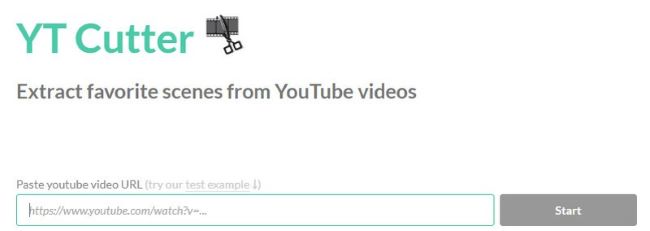
YT Cutter is one of the best YouTube video downloader and trimmer, which is quite easy to use. You just need to enter the URL of the YouTube video to be trimmed to start the process. After loading the video, you can set the duration by pressing on the start and end buttons.

  • Download videos in 4 formats - video file, GIF animation, audio file, and screenshot
  • User-friendly interface
  • Video with low resolution
  • Rate limit errors in the downloading process

#2. YouTube Cutter
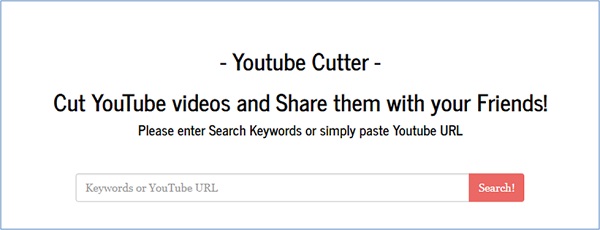
youtube cutter

YouTube Cutter is another smart tool designed to cut and edit YouTube videos, which helps you edit videos like a pro. Due to its clear interface, it follows a smooth process for video editing.

  • Simple-to-use program
  • Suitable for users from all walks of life
  • Advanced technology gives better quality videos
  • Not as  easier to use as the YouTube Cutter app

#3. FlexClip
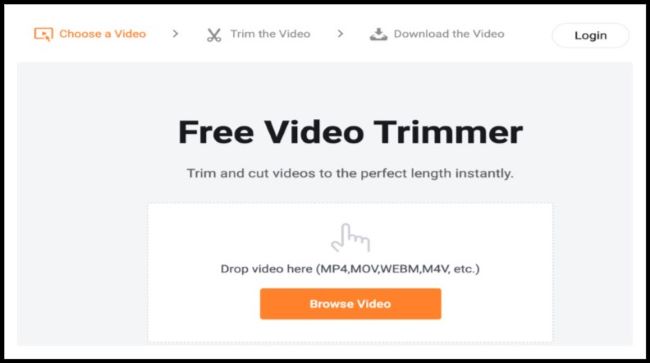
flexclip

FlexClip is the third YouTube video cutter online I want to list. And you can download the trimmed video for free. You just need to upload the video that needs to be edited or cut. Then you can adjust the timeline to set the range.

  • With several advanced editing features like removing background noise
  • Supports many formats like MP4, MOV, WEBM, M4V, and so on
  • Cannot trim a video directly by entering the video URL

#4. Kapwing Video Trimmer
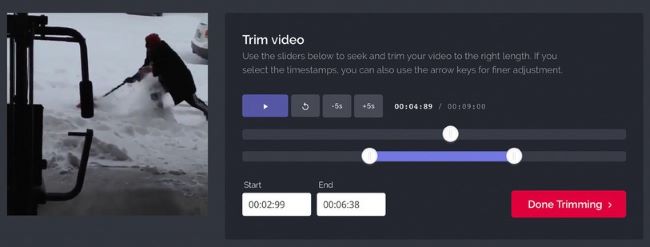
kapwing-video-trimmer

Kapwing Video Trimmer is one of the favorites of my YouTube video cutter online. It is for users looking for a simple video cutting tool. Kapwing allows you to create short video clips. You have two choices to edit videos with Kapwing: Paste the YouTube video URL; Upload the downloaded video.

  • A simple tool for basic video cutting
  • Can be easily used by anyone without any technical experience
  • Downloaded videos inserted Kapwing watermark.
  • Processing time is higher than others

#5. YouTube's Online Video Editor
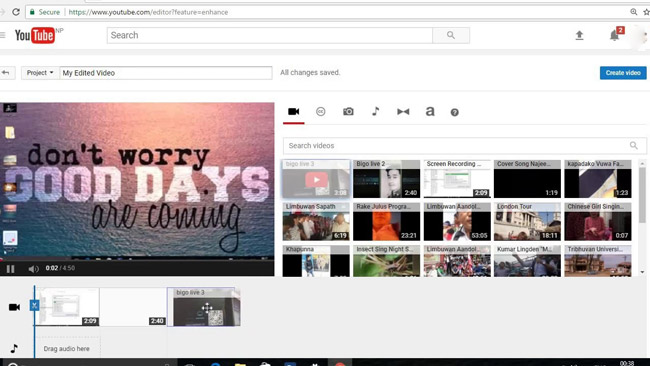
youtube online video editor

Do you know that YouTube has its own online video editor? It works well for simple edits or trims of a YouTube video. Its unique feature is to allow users to create versions of a YouTube video without leaving the website.

  • Free user-friendly tool
  • Support adding effects and transitions
  • Allow merging different trims into a single video
  • Not allow adding graphics or text in overlay

#6. ytCropper
ytcropper

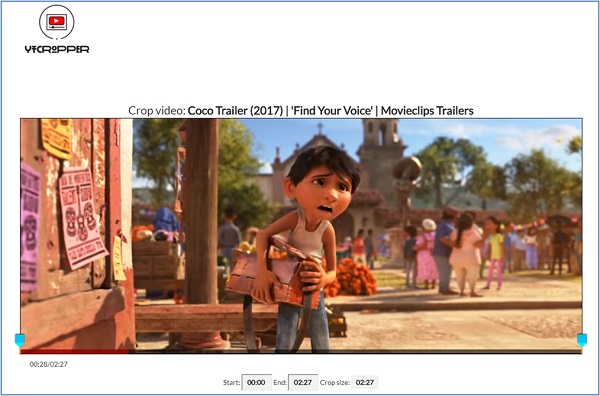
As the picture shows, ytCropper has an intuitive interface. This program allows users to cut and trim custom length shots from YouTube videos. And it also supports you to share YouTube videos online via Facebook, Twitter, email or text message.

  • It produces a professional-looking video
  • It has been featured on several sites giving it a good recognition
  • Rely on a marker system for marking start and end points of the video
  • Not support fraction of seconds (less precise)

#7. Clideo
clideo

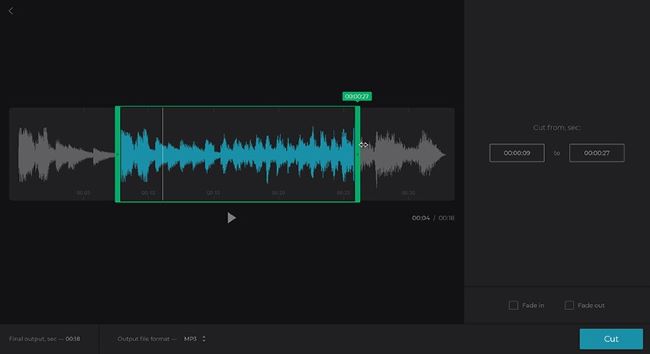
With fast speed of video cutting and trimming, Clideo is popular among YouTube users. You just need to few seconds to cut a clip after setting the start and end points.

  • Support a wide range of formats such as MP4, AVI, MPG, VOB and more
  • Provide a high level of security
  • No special video editing skills required
  • Size limitation for video files

#8. Video Toolbox
video toolbox

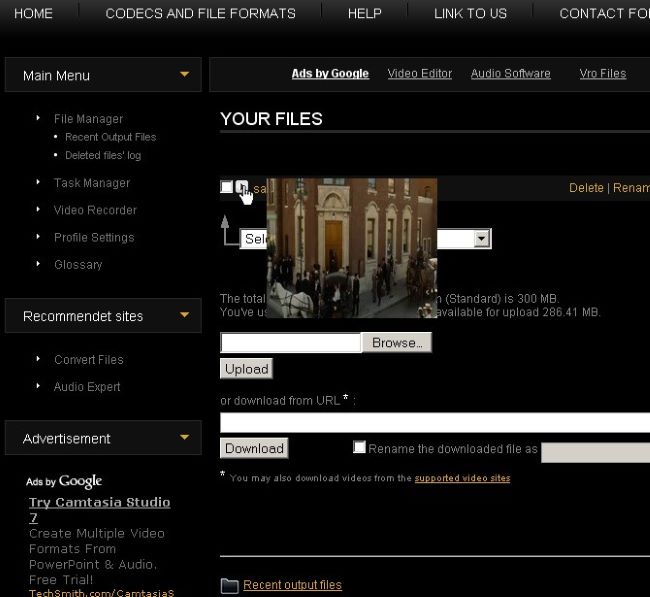
Like its name shows, Video Toolbox is an excellent online YouTube cutter  – a toolbox for video editing. It has a collection of features that perform several tasks in video editing.

  • Convert various video formats including MP4, MKV, AMV and more
  • Export videos to social sites as well as YouTube
  • Keep the quality of video files
  • Size limitation in the free version

#9. Fastreel
fastreel

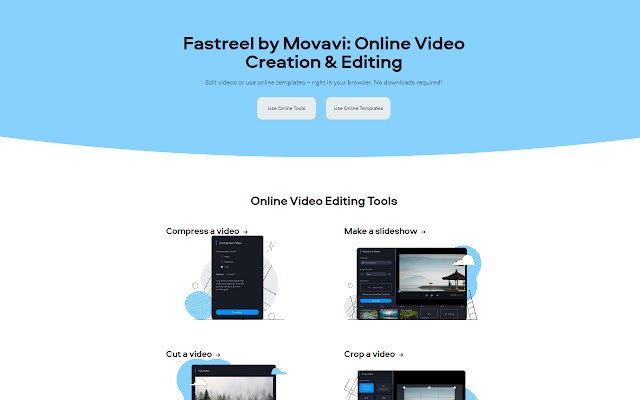
Fastreel is an online video editor that offers a lot of tools including video trimming. With its intuitive interface, trimming YouTube videos is quite easy. To cut a video, you should add it to Fastreel and then personalize the start and end points.

  • Quick video trimming
  • Simple to use
  • Insert Fastreel watermark automatically in the free version

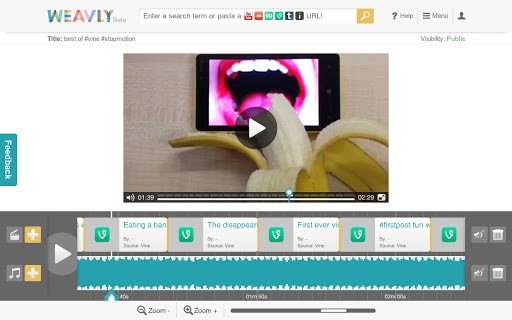
#10. Weavly
weavly

Weavly is the last online YouTube video cutter I want to recommend. With its powerful capabilities, Weavly succeeds to attracts any user looking for video cutter for YouTube video. With the help of it, you can source videos directly from YouTube.

  • Multiple functionalities for basic video editing
  • Fast trimming speed
  • Limited features available in free version


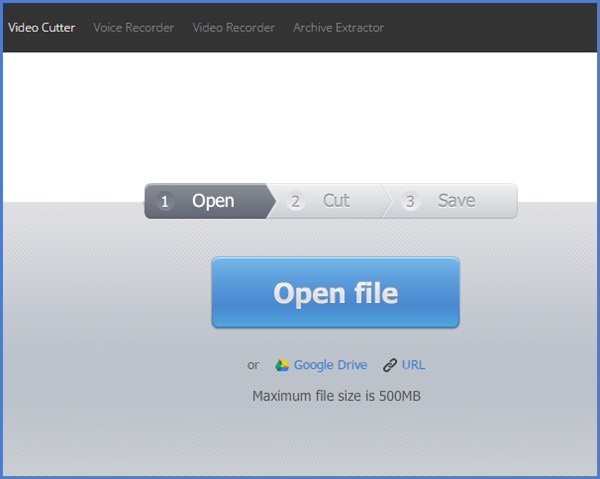
More to Talk - TunesKit Video Cutter
tuneskit mp3 cutter

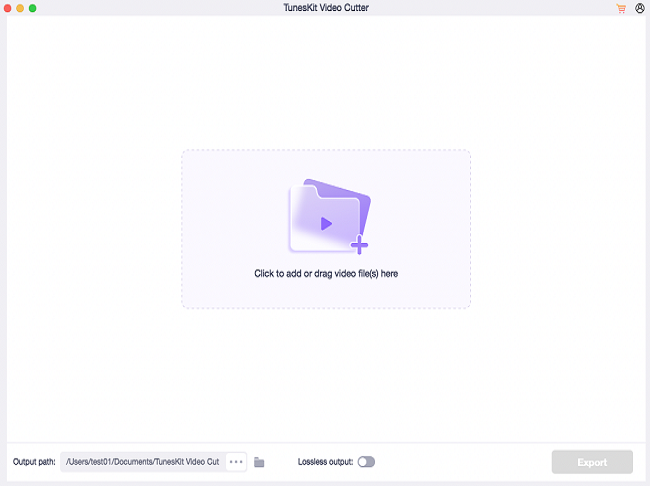
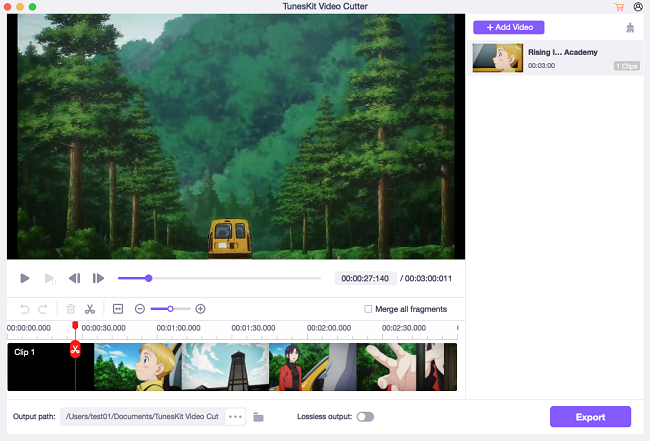
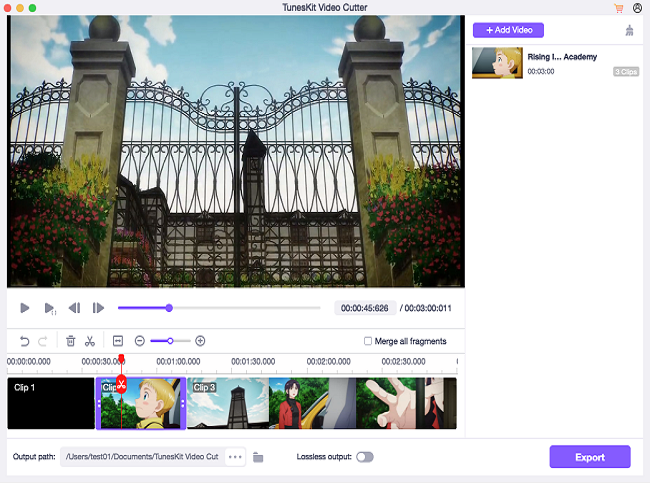
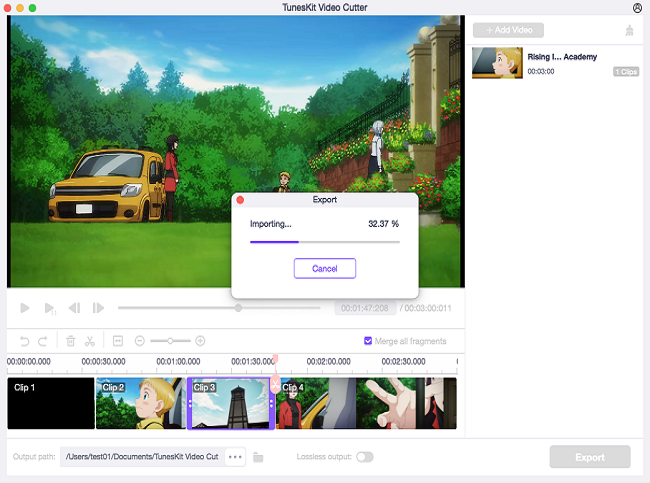
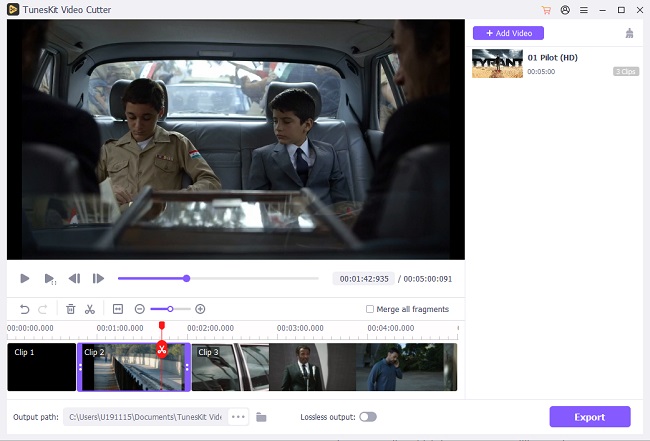
Among 10 online free YouTube video cutter software, which one you like most? Online video tools may cause quality loss. Before selecting an online tool for YouTube video trimming, you need to consider another option – the offline TunesKit Video Cutter. It can promise a lossless video cutting, its output is better than any of the above online tools.

Base on my experience, TunesKit Video Cutter is the perfect audio and video trimmer. This software integrates a built-in video editor, with which you can crop, merge, add effects and more to their video.

  • An all-round video cutting solution; 
  • Allow trimming video and also merging videos
  • Lossless video cutter


Conclusion

Now you have checked all the YouTube video cutters reviews above. Evidently, Tuneskit Video Cutter stands out, which has advanced features and achieves lossless video cutting.  A high-quality video after trimming or cutting attracts many people. TunesKit is not only another YouTube video cutter in the market but also a smart video joiner that can merge multiple sections cutting from the same source into a new file in 100% original quality.


You may also like:

[Review] Top 4 M4A Cutters 

6 Best Free Video Cutter No Watermark

Sep 25, 2020

[Top Tutorial] How to Cut YouTube Videos Online/Offline

Q: "I'm looking for an efficient YouTube video cutter that can cut YouTube videos online without losing any quality. I have tried a webtool, but it has so many ads on it. Could you please recommend some clean software that can cut YouTube videos with high quality? Thanks."

cut youtube videos

Do you have the same confusion as the person above? For example, if you came across a video on YouTube with a great attraction, what would you do next? I guess you may want to download it or simply trim off the highlights from this YouTube video. In that case, a smart YouTube video cutter would be a great assistance to cut YouTube videos. To save your time and energy, we have picked out a handful of professional YouTube cutters, with which you can download and cut YouTube videos online & offline, including the free YouTube video trimmers.

Method 1: Cut YouTube Video with YouTube Video Cutter Online

In general, some YouTube videos with large size may consume much time to download. Maybe you just want to trim special parts. In this respect, you'd better use an online YouTube cutter such as YT Cropper. With this smart freeware, you can split and share any YouTube videos to Facebook, Twitter, email or text message.

Using this online YouTube video cutter means that you don't need to install any software, nor to download the YouTube files on the computer. You just need to copy the URL of the online YouTube video you want to cut to YT Cropper. The instruction below will perform how to trim YouTube videos online with this browser-based YouTube cutter.

ytcropper online youtube cutter

Step 1. Copy and Paste the YouTube URL

To begin with, input the URL or ID of the YouTube video needed to be cut. Then hit the "Crop" button to enter the cutting page.

Step 2. Set the Video Length to Be Cut

After that, you should set the video start time and stop time. You can do that by dragging the slider along the timeline bar.

Step 3. Begin to Cut Your Video

It's time to press on the "Crop" button to cut the video instantly. Then this program will provide you with the embed code as well as a direct link. You can use the first one to add the trimmed video into your website or blog;  Or use the second to share the cuttings to social media sharing sites.

More Free Online YouTube Cutters to Trim YouTube Videos

# Online Video Cutter

online video cutter

Online Video Cutter in another priceless video cutting site. Under the help of it, you can split any YouTube video accurately. It is very simple to use and you just need to add the URL to the cutter. This web-based tool has other functions, like cutomizing the speed of the video, combining the clips, personalizing the output quality and format. As for the data security, you don't need to worry about that because the uploaded video file will be automatically deleted after several hours.

# YouTube Cutter

youtube cutter

YouTube Cutter is the third online YouTube video splitter. It supports to trim videos uploaded on YouTube. You have two ways to do that: Enter keywords or URL of YouTube video to search and cut the video file. It's a user-friendly YouTube cutter even for beginners. And you can adjust the output video quality as 1080p, 720p, 480p, 360p, 240p, 144p or auto.


Method 2: Trim YouTube Videos with Desktop YouTube Cutter

Note: This method is highly recommended only if you have already downloaded the YouTube videos onto your computer.

In the software market, TunesKit YouTube Video Cutter is my favorite desktop video cutting software. It could be the best and easiest option to cut offline YouTube videos without losing any quality. Except for being a YouTube video trimmer, it provides additional video functions. For example, you can crop, rotate, and merge the trimmed YouTube videos as you like. Thanks to the built-in video player, you can preview your YouTube videos. And TunesKit integrates an amazing converter, you can also convert the trimmed YouTube video segments to any other popular media formats, such as MP4, WMV, MKV, etc. 

tuneskit youtube video cutter mac

  • Trim YouTube and other types of media files
  • Cut and combine multiple clips from the video
  • Trim YouTube videos with no quality loss
  • Support cropping, rotating, and other effects
  • Convert YouTube videos to other formats and devices

Now simply follow this tutorial to cut your YouTube video clips losslessly on Mac/Windows with TunesKit Video Cutter.

Step 1. Import YouTube video file into TunesKit

add youtube video

Install and launch TunesKit YouTube Video Cutter on your computer. TunesKit provides 2 ways to add YouTube videos: Drag the target video file to the screen; Press on the "Open" button to add it. 

Step 2. Select segments to be trimmed

set cutting duration

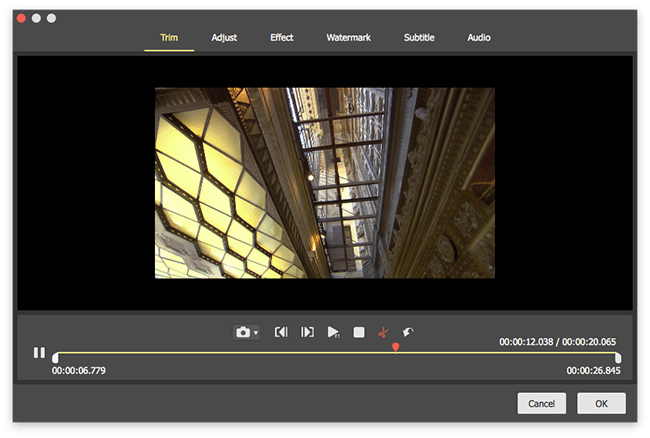
To trim YouTube video files, you can move the yellow sliders or input the numbers to the Start Time and End Time. If you want to trim multiple segments from such video, click the "+" button to a new segment.

Step 3. Edit the YouTube video

edit youtube video

Not only just cutting, but TunesKit also supports you to rotate, crop, add watermarks and subtitles, etc. 

Step 4. Select the output format

set output

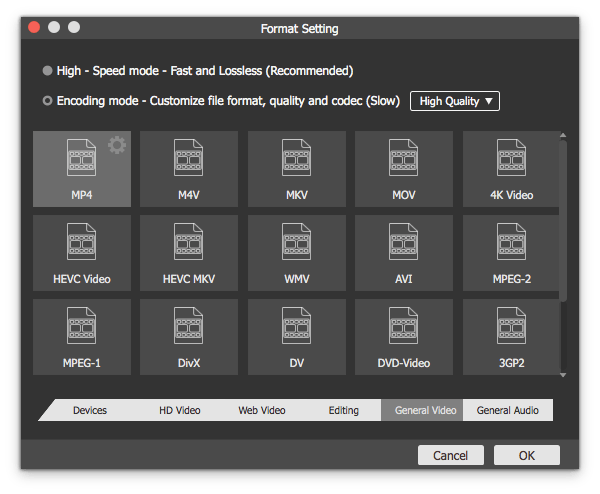
Hit the "Format" button on the main interface to select the output format or device, such as HD MP4, MKV, MOV, 4K, WMV, DivX, MP3, OGG, WMA, Apple iPhone X, Samsung Galaxy S8, Xbox One, etc. You can also customize the media settings like video codec, size, bit rate, sample rate.

Step 5. Start cutting YouTube video losslessly

cutting youtube video

Click the "Start" button to cut YouTube videos into small pieces. The cutting process is expected to accomplish at up to 60X faster speed. 

The Bottom Line

Among all the online and offline YouTube video cutters, which one will you choose? Or you have other best choices Welcome to leave a comment here to tell us!


You may also like:

[Review] Top 4 M4A Cutters 

6 Best Free Video Cutter No Watermark